Shared vs Project Params: 5 Pro Secrets
Understanding parameters in Revit is one of the most important skills for anyone working in BIM. Many users struggle to decide when to use shared parameters and when to rely on project parameters. This confusion often leads to messy data, broken tags, and inefficient workflows.
That’s why learning Shared vs Project Params: 5 Pro Secrets can completely transform the way you manage information in your models. In this guide, we’ll break everything down in a simple and practical way so you can confidently apply the right approach in your projects.

What Are Project Parameters?
Before going deeper into Shared vs Project Params: 5 Pro Secrets, let’s first understand what project parameters are.
Project parameters are created directly inside a Revit project and are only available within that specific file. They are not reusable outside the project and cannot be transferred to other projects or families.
Key Characteristics
- Exist only in one project
- Easy to create and manage
- Suitable for temporary or project-specific data
- Limited functionality in tagging
Project parameters are often used by beginners because they are quick to set up. However, as you’ll see in Shared vs Project Params: 5 Pro Secrets, they come with certain limitations.

What Are Shared Parameters?
Shared parameters are more advanced and flexible compared to project parameters. They are stored in an external file and can be reused across multiple projects and families.
When discussing Shared vs Project Params: 5 Pro Secrets, shared parameters are usually the preferred choice for professional workflows.
Key Characteristics
- Stored in an external file
- Can be used in multiple projects
- Work with tags and schedules
- Support standardization
Because of their flexibility, shared parameters are essential in large projects and team environments.

Why This Comparison Is Important
Many Revit users ignore the importance of choosing the right parameter type. However, understanding Shared vs Project Params: 5 Pro Secrets can help you avoid serious problems later.
Why It Matters
- Prevents data inconsistency
- Improves scheduling accuracy
- Enhances collaboration
- Saves time in the long run
If you don’t apply the concepts from Shared vs Project Params: 5 Pro Secrets, you may end up redoing work or fixing errors during later project stages.
Shared vs Project Params: 5 Pro Secrets Explained
Now let’s explore the key differences that define Shared vs Project Params: 5 Pro Secrets.
Secret #1 – Reusability
One of the biggest differences between the two parameter types is reusability.
Project Parameters
- Limited to one project
- Cannot be reused
Shared Parameters
- Can be reused across projects
- Ideal for creating standards
This is one of the core ideas behind Shared vs Project Params: 5 Pro Secrets—shared parameters offer long-term value.

Secret #2 – Tagging Support
Tagging is essential for documentation, and this is where the difference becomes very clear.
Project Parameters
- Not reliable for tagging
- Limited support
Shared Parameters
- Fully compatible with tags
- Preferred for annotations
If your workflow involves tagging, then Shared vs Project Params: 5 Pro Secrets clearly favors shared parameters.

Secret #3 – Scheduling Efficiency
Schedules are a critical part of Revit, especially for quantity takeoffs and documentation.
Project Parameters
- Work in schedules
- But lack flexibility
Shared Parameters
- Provide consistent scheduling
- Work across multiple elements and projects
In terms of scheduling, Shared vs Project Params: 5 Pro Secrets highlights the advantage of shared parameters for professional use.

Secret #4 – Family Integration
Families are the backbone of Revit modeling, and parameter selection plays a big role here.
Project Parameters
- Cannot be added to families
Shared Parameters
- Can be used inside families
- Ensure consistent data
This makes shared parameters essential when working with reusable families, a key insight from Shared vs Project Params: 5 Pro Secrets.

Secret #5 – Data Consistency
Consistency is crucial in any BIM workflow.
Project Parameters
- Can lead to inconsistent naming
- Hard to manage across teams
Shared Parameters
- Provide standardized data
- Improve collaboration
This is one of the most important lessons from Shared vs Project Params: 5 Pro Secrets—consistency leads to efficiency.

Common Mistakes to Avoid
Even after understanding Shared vs Project Params: 5 Pro Secrets, users often make mistakes such as:
- Using project parameters for tagging
- Not setting up a shared parameter file early
- Mixing parameter types without planning
- Ignoring naming conventions
Avoiding these mistakes will significantly improve your workflow.
When to Use Project Parameters
Project parameters are not useless—they are just limited in scope.
Best Use Cases
- Temporary project data
- One-time information
- Internal calculations
- Situations where tagging is not required
As explained in Shared vs Project Params: 5 Pro Secrets, project parameters are best for quick and simple tasks.
When to Use Shared Parameters
Shared parameters are the backbone of professional Revit workflows.
Best Use Cases
- Tagging elements
- Creating schedules
- Working with families
- Maintaining standards across projects
If your goal is long-term efficiency, then following Shared vs Project Params: 5 Pro Secrets will guide you toward using shared parameters more often.
Pro Workflow Tip
Here’s a practical tip based on industry experience:
👉 Always create and organize your shared parameter file at the beginning of a project.
This helps you:
- Maintain consistency
- Avoid duplication
- Improve team coordination
This simple step aligns perfectly with the principles discussed in Shared vs Project Params: 5 Pro Secrets.
Real-World Example
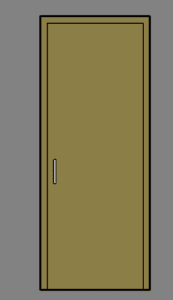
Let’s say you are working on a commercial project and need to tag doors with a custom parameter like “Fire Rating Code.”
- If you use a project parameter, tagging may not work properly.
- If you use a shared parameter, the tag will display correctly across all views.
This practical example shows how applying Shared vs Project Params: 5 Pro Secrets can save time and prevent issues.
Final Thoughts
Choosing between shared and project parameters is not just a technical decision—it’s a strategic one. Each type has its purpose, but knowing when to use each is what makes you efficient.
By applying Shared vs Project Params: 5 Pro Secrets, you can:
- Improve your workflow
- Reduce errors
- Create better, more organized models
Conclusion
Mastering parameter usage is essential for anyone serious about Revit. While project parameters are useful for simple tasks, shared parameters provide the flexibility and consistency needed for professional work.
If you remember one thing, let it be this: understanding Shared vs Project Params: 5 Pro Secrets will help you work smarter, not harder.
For more information click Read more