1 Best Custom Logo Symbol Revit Family
Download this 1 Best Custom Logo Symbol Revit Family for commercial, institutional, public, retail, and corporate BIM projects. This Revit family is designed for projects where branding, signage placement, and visual identity are important parts of the design. It can be used in office buildings, schools, universities, shopping centers, showrooms, reception areas, corporate interiors, public buildings, and commercial spaces where a custom logo or symbol needs to be shown clearly in the Revit model.
A logo is more than a graphic element. In many architectural and interior projects, it helps represent the identity of a company, organization, brand, or institution. By using this 1 Best Custom Logo Symbol Revit Family, architects, interior designers, BIM modelers, and Revit users can add a clean and flexible branding element to their projects. It is useful for signage layouts, wall branding, reception design, interior planning, and project presentation.
Custom Logo Symbol Revit Family for Branding Design
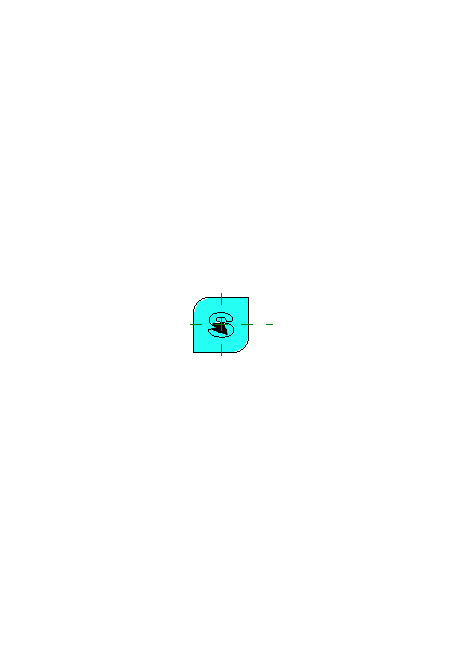
This 1 Best Custom Logo Symbol Revit Family is a practical choice for adding custom branding details inside Autodesk Revit. In commercial and public spaces, logos are often placed on feature walls, reception desks, entrance areas, office partitions, retail displays, and signage panels. This Revit family helps show the logo symbol clearly in plans, elevations, sections, 3D views, and presentation drawings.
Branding is an important part of modern interior design. A well-placed logo can improve the look of a space and make the design feel more complete. Whether you are working on a corporate office, retail store, school building, showroom, or public facility, this Revit family can help you present the branding concept in a more professional way.
Using this 1 Best Custom Logo Symbol Revit Family can also help improve communication with clients and project teams. Instead of explaining where the logo will be installed, you can show it directly in the Revit model. This makes the design easier to understand and helps reduce confusion during review and coordination.
Ideal for Commercial, Institutional, and Public Projects
This 1 Best Custom Logo Symbol Revit Family is suitable for many types of BIM projects. It can be used in commercial buildings, corporate offices, retail stores, shopping malls, schools, universities, libraries, hospitals, clinics, government offices, museums, and public service spaces.
In commercial projects, branding is often a key part of the interior design. Logos may appear behind reception counters, on storefront walls, near entrances, in meeting rooms, or inside customer-facing areas. This Revit family allows you to place a custom logo symbol in the right location and check how it fits with the surrounding design elements.
For institutional and public buildings, logo symbols can be used for identity, wayfinding, department signage, and official branding. Schools, universities, healthcare facilities, and government buildings often require clear visual identity in public areas. This 1 Best Custom Logo Symbol Revit Family can help create a better visual layout and support accurate project documentation.
Parametric Logo Symbol for Revit Projects
This 1 Best Custom Logo Symbol Revit Family is useful for BIM workflows because it supports customization and flexible placement. A parametric logo family can help users adjust dimensions, orientation, and appearance according to the project requirements. This makes it easier to fit the logo into different wall sizes, signage panels, interior layouts, and presentation views.
Designers can use this family in different design stages, from concept development to final documentation. During early design, it can help test logo placement and branding options. During documentation, it can help show the final signage location more clearly. This makes the family useful for both visual presentation and technical coordination.
A flexible logo symbol is also helpful when working with different project types. The same Revit family can be adapted for offices, retail areas, schools, public spaces, and commercial interiors. This saves modeling time and helps keep the BIM file organized.
Useful for Interior Planning and Signage Placement
This 1 Best Custom Logo Symbol Revit Family can support interior planning and signage coordination in Revit. Logos and symbols are often connected with wall finishes, lighting, reception counters, glass partitions, display panels, and wayfinding systems. By placing the logo in the model, you can check its position in relation to other interior elements.
For example, in an office reception area, the logo may need to be centered on a feature wall behind the desk. In a retail store, it may need to be placed above a display area or near the entrance. In a school or public building, it may be used as part of a signage system. This Revit family helps make those decisions easier by showing the logo directly in the design environment.
It is also useful for 3D visualization and client presentations. A realistic logo symbol can make interior renderings and Revit views look more complete. It helps clients understand how branding will appear in the final space and gives the project a more finished look.
Enhance Your Revit Branding and Presentation Library
Adding this 1 Best Custom Logo Symbol Revit Family to your BIM library can help improve the quality of your commercial and institutional Revit projects. It is a useful component for branding, signage placement, interior coordination, architectural documentation, and 3D visualization.
This family is helpful for architects, interior designers, BIM coordinators, Revit modelers, students, and professionals who work on commercial interiors or public buildings. It supports better visual communication, accurate placement, and flexible customization inside Autodesk Revit.
Download this 1 Best Custom Logo Symbol Revit Family today and use it in your next commercial, corporate, institutional, retail, school, office, or public space Revit project.
For more information click here