
Difference Between AutoCAD and Revit for Beginners
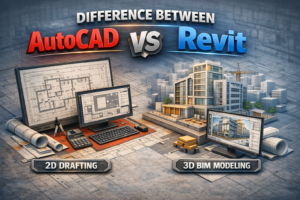
If you are new to the architecture, engineering, or construction industry, you have probably heard the names AutoCAD and Revit many times. Beginners often feel confused about which software to learn first and what the real difference is between the two. Although both tools are widely used in the construction industry, they serve very different purposes.
This guide is written specifically for beginners. By the end of this blog, you will clearly understand what AutoCAD and Revit are, how they work, where they are used, and which one is better for your career goals.
Understanding AutoCAD and Revit Basics
Before comparing both tools, it is important to understand what each software actually does.
What is AutoCAD?
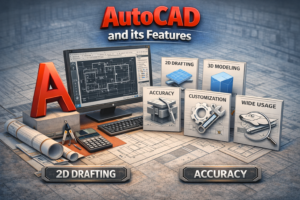
AutoCAD is a computer-aided drafting (CAD) software mainly used for creating accurate 2D drawings and simple 3D shapes. When explaining the Difference Between AutoCAD and Revit for Beginners, AutoCAD is often described as a digital drawing board where users manually create lines, arcs, circles, and other shapes. It has been used for decades and remains popular due to its flexibility, precision, and ease of use for drafting floor plans, sections, elevations, and construction details.
Key Features of AutoCAD
-
2D drafting and documentation
-
Basic 3D modeling
-
High drawing accuracy
-
Lightweight files
-
Widely accepted across industries
AutoCAD is commonly used for:
-
Architectural drawings
-
Electrical layouts
-
Plumbing drawings
-
Mechanical schematics
-
Shop drawings
What is Revit?
1
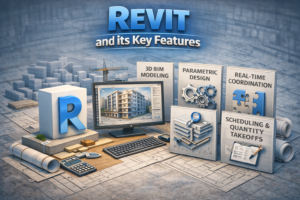
In Revit, walls know they are walls, doors know they are doors, and windows know they are windows. When you make a change in one view, it automatically updates everywhere.
Key Features of Revit
-
Parametric 3D modeling
-
Automatic coordination
-
Real-time schedules
-
Clash detection support
-
Data-rich models
Revit is mainly used for:
-
BIM projects
-
Architectural modeling
-
Structural design
-
MEP systems
-
Construction coordination
Core Difference Between AutoCAD and Revit
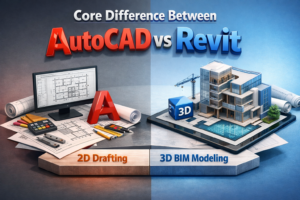
The main difference between AutoCAD and Revit lies in how drawings are created and managed.
AutoCAD: Drawing-Based Workflow
AutoCAD follows a drawing-based approach. Each drawing is separate and independent.
-
Plans, sections, and elevations are drawn manually
-
Changes must be updated in every drawing
-
No automatic relationship between elements
This gives full control but increases the risk of human error.
Revit: Model-Based Workflow
Revit follows a model-based approach. Everything comes from a single central model.
-
One model generates all views
-
Changes update automatically
-
Consistency is maintained
This reduces mistakes and saves time in large projects.
2D Drafting vs 3D BIM Modeling
This is one of the most important differences for beginners to understand.
AutoCAD and 2D Drafting
AutoCAD is strongest in 2D drafting.
Advantages of 2D Drafting
-
Simple and fast for small projects
-
Easy to learn
-
Low hardware requirements
-
Flexible drawing style
However, complex projects can become difficult to manage due to manual coordination.
Revit and 3D BIM Modeling
Revit is designed for full 3D BIM modeling.
Advantages of BIM Modeling
-
Visual clarity
-
Better coordination
-
Accurate quantity takeoffs
-
Fewer construction errors
Revit is ideal for modern projects that require collaboration and detailed planning.
Project Coordination and Collaboration
AutoCAD Collaboration
In AutoCAD:
-
Multiple drawings are managed separately
-
Coordination relies heavily on user discipline
-
Errors can occur if one file is not updated
AutoCAD works well for small teams or individual work but can be challenging in large projects.
Revit Collaboration
Revit supports teamwork using:
-
Central models
-
Worksharing
-
Linked models
Architects, structural engineers, and MEP engineers can work together in the same project environment.

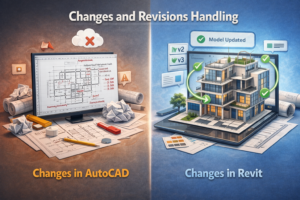
Changes and Revisions Handling
Changes in AutoCAD
In AutoCAD:
-
Changes must be updated manually
-
Multiple drawings need checking
-
Revision control is time-consuming
This can slow down projects with frequent design changes.
Changes in Revit
In Revit:
-
Changes happen instantly
-
All views update automatically
-
Schedules and quantities adjust themselves
This makes Revit highly efficient for evolving designs.
Learning Curve for Beginners
Is AutoCAD Easy to Learn?
Yes, AutoCAD is beginner-friendly.
Why Beginners Choose AutoCAD
-
Simple commands
-
Large learning resources
-
Easy to practice
-
Faster initial progress
Most beginners can start producing drawings within a few weeks.
Is Revit Difficult for Beginners?
Revit has a steeper learning curve.
Why Revit Takes Time
-
Concept-based learning
-
Parametric thinking
-
BIM workflow understanding
However, once learned, Revit becomes very powerful and rewarding.
Hardware and System Requirements
AutoCAD System Requirements
AutoCAD runs smoothly on:
-
Basic laptops
-
Moderate RAM
-
Integrated graphics
It is suitable for users with limited hardware budgets.
Revit System Requirements
Revit requires:
-
Strong CPU
-
High RAM (16GB or more recommended)
-
Dedicated graphics card
Large BIM models demand powerful systems.
Career Opportunities and Market Demand
Career Scope with AutoCAD
AutoCAD skills are useful for:
-
Draftsmen
-
CAD technicians
-
Shop drawing specialists
-
Freelancers
AutoCAD is still widely demanded, especially in drafting roles.
Career Scope with Revit
Revit opens doors to:
-
BIM modelers
-
BIM coordinators
-
BIM engineers
-
International projects
Revit skills are highly valued in modern construction markets.
Which Software Should Beginners Learn First?
Start with AutoCAD If:
-
You are completely new
-
You want quick results
-
You work on 2D drawings
-
Your system is low-end
AutoCAD builds a strong drafting foundation.
Start with Revit If:
-
You want a BIM career
-
You aim for long-term growth
-
You work on modern projects
-
You can invest time in learning
Many professionals learn AutoCAD first and then move to Revit.
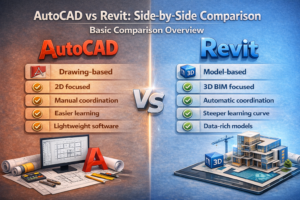
AutoCAD vs Revit: Side-by-Side Comparison
Basic Comparison Overview
AutoCAD
-
Drawing-based
-
2D focused
-
Manual coordination
-
Easier learning
-
Lightweight software
Revit
-
Model-based
-
3D BIM focused
-
Automatic coordination
-
Steeper learning curve
-
Data-rich models
Final Thoughts
Which One is Better?
There is no single correct answer.
AutoCAD is an excellent tool for drafting and learning the basics of design, while Revit plays a crucial role in modern BIM workflows and long-term professional growth. When understanding the Difference Between AutoCAD and Revit for Beginners, AutoCAD helps build strong foundational skills, whereas Revit is essential for handling complex projects and advancing a career in today’s construction and design industry.
Best Advice for Beginners
If you are just starting out, learn AutoCAD first, understand drafting principles, and then move to Revit to build advanced BIM skills.
This combination will make you confident, versatile, and competitive in the construction industry.