
Revit Families Explained (System vs Loadable)
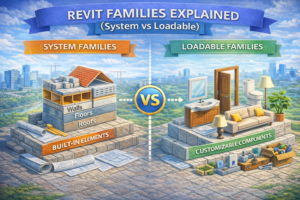
Revit Families Explained (System vs Loadable) is essential knowledge for every Revit user, as families form the backbone of every Revit project. From modeling walls and floors to placing doors and furniture, every element in Revit exists as a family. However, many beginners struggle to understand the difference between system families and loadable families, which often results in confusion, inefficient modeling practices, and poorly optimized projects.
In this guide, we will clearly explain what Revit families are, how System and Loadable families differ, when to use each type, and how understanding them can dramatically improve your workflow.
What Are Revit Families?
In simple terms, a Revit family is a collection of elements with similar behavior, appearance, and parameters. Families define how an object looks, how it behaves, and what information it carries.
For example:
-
All doors belong to the Door family
-
All walls belong to the Wall family
-
All furniture items belong to Furniture families
Every Revit element you place comes from some type of family.

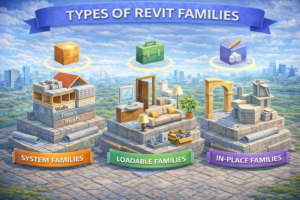
Types of Revit Families
Revit families are divided into three main categories:
-
System Families
-
Loadable Families
-
In-Place Families
This article focuses mainly on System vs Loadable Families, as they make up most of your daily Revit work.
System Families in Revit
What Are System Families?
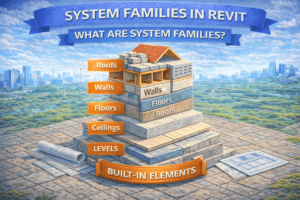
System families are built directly into Revit. You cannot create them from scratch or load them from external files. They exist only inside a Revit project.
Examples of system families include:
-
Walls
-
Floors
-
Roofs
-
Ceilings
-
Levels
-
Grids
These elements form the structural and architectural framework of a building.
Key Characteristics of System Families
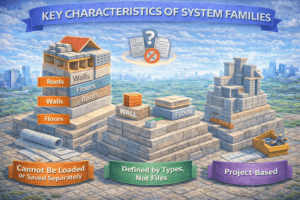
Cannot Be Loaded or Saved Separately
System families do not exist as separate .rfa files. You cannot save a wall or floor family outside the project.
Defined by Types, Not Files
You control system families by duplicating and modifying types rather than editing a family file.
Project-Based
Each project contains its own system family definitions. If you start a new project, you must recreate wall or floor types again unless you use templates.
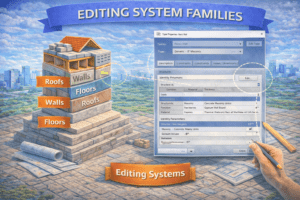
Editing System Families
You cannot open system families in the Family Editor. Instead, you edit them using Type Properties.
For example:
-
Wall thickness
-
Material layers
-
Structural function
-
Fire rating
All of these are edited within the project environment.
Advantages of System Families
-
Extremely stable and optimized
-
Essential for BIM accuracy
-
Perfect for core building elements
-
Automatically work with Revit schedules and sections
Limitations of System Families
-
Cannot be shared as separate files
-
Limited flexibility compared to loadable families
-
Cannot include advanced parametric geometry
Loadable Families in Revit
What Are Loadable Families?
Loadable families are external family files (.rfa) that can be created, edited, saved, and reused across multiple projects.
Common examples include:
-
Doors
-
Windows
-
Furniture
-
Lighting fixtures
-
Plumbing fixtures
-
Electrical equipment
These families are loaded into a project when needed.

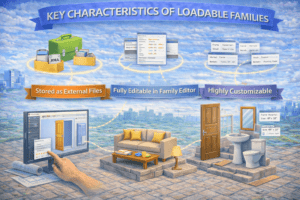
Key Characteristics of Loadable Families
Stored as External Files
Each loadable family exists as a separate file that can be reused across different projects.
Fully Editable in Family Editor
You can open loadable families in the Family Editor and control:
-
Geometry
-
Parameters
-
Visibility settings
-
Materials
-
Nested families
Highly Customizable
Loadable families allow complex parametric behavior such as:
-
Adjustable sizes
-
Yes/No visibility controls
-
Material parameters
-
Shared parameters for schedules
Advantages of Loadable Families
-
Reusable across projects
-
Highly flexible and customizable
-
Ideal for manufacturer-specific components
-
Better control over level of detail (LOD)
Limitations of Loadable Families
-
Poorly built families can slow down models
-
Require skill to create properly
-
Overuse of parameters can cause performance issues
System Families vs Loadable Families (Quick Comparison)
Structural Differences
| Feature | System Families | Loadable Families |
|---|---|---|
| File Type | Project-based | External (.rfa) |
| Family Editor | Not available | Fully available |
| Reusability | No | Yes |
| Geometry Control | Limited | Advanced |
| Best Use | Core building elements | Components & fixtures |
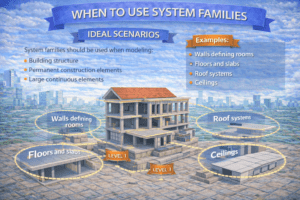
When to Use System Families
Ideal Scenarios
System families should be used when modeling:
-
Building structure
-
Permanent construction elements
-
Large continuous elements
Examples:
-
Walls defining rooms
-
Floors and slabs
-
Roof systems
-
Ceilings
These elements depend heavily on host relationships, levels, and structural rules.
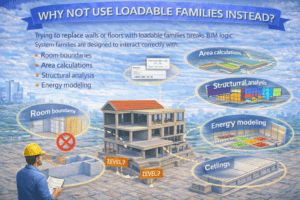
Why Not Use Loadable Families Instead?
Trying to replace walls or floors with loadable families breaks BIM logic. System families are designed to interact correctly with:
-
Room boundaries
-
Area calculations
-
Structural analysis
-
Energy modeling
When to Use Loadable Families
Ideal Scenarios
Loadable families are best for:
-
Repetitive components
-
Manufacturer-based items
-
Interior elements
-
MEP equipment
Examples:
-
Doors and windows
-
Furniture
-
Light fixtures
-
Switches and sockets
-
Plumbing fixtures
Reusability Advantage
One well-built loadable family can be used in:
-
Residential projects
-
Commercial buildings
-
High-rise towers
-
Renovation projects
This saves time and ensures consistency.
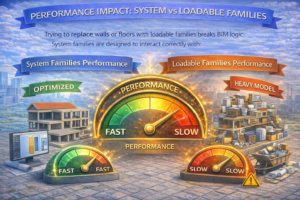
Performance Impact: System vs Loadable Families
System Families Performance
System families are highly optimized by Revit. They rarely cause performance issues, even in large models.
Loadable Families Performance
Poorly designed loadable families can:
-
Increase file size
-
Slow down views
-
Cause long sync times in workshared models
Best Practices for Loadable Families
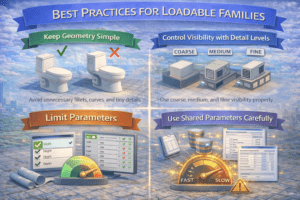
Keep Geometry Simple
Avoid unnecessary fillets, curves, and tiny details.
Control Visibility with Detail Levels
Use coarse, medium, and fine visibility properly.
Limit Parameters
Only add parameters that are actually required.
Use Shared Parameters Carefully
Shared parameters are powerful but should be planned properly.
Common Beginner Mistakes with Families
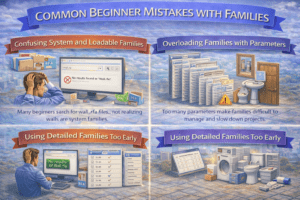
Confusing System and Loadable Families
Many beginners search for wall .rfa files, not realizing walls are system families.
Overloading Families with Parameters
Too many parameters make families difficult to manage and slow down projects.
Using Detailed Families Too Early
High-detail families should be used in later stages, not during early design.
Family Templates: The Foundation of Loadable Families
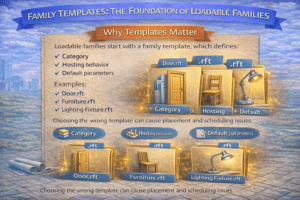
Why Templates Matter
Loadable families start with a family template, which defines:
-
Category
-
Hosting behavior
-
Default parameters
Examples:
-
Door.rft
-
Furniture.rft
-
Lighting Fixture.rft
Choosing the wrong template can cause placement and scheduling issues.
Hosting Differences
Host-Based Families
Require a host like a wall or ceiling (e.g., doors, windows).
Free-Standing Families
Can be placed anywhere (e.g., furniture).
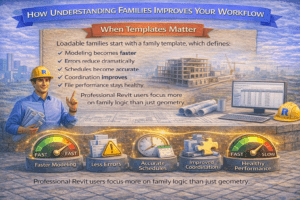
How Understanding Families Improves Your Workflow
When you clearly understand system and loadable families:
-
Modeling becomes faster
-
Errors reduce dramatically
-
Schedules become accurate
-
Coordination improves
-
File performance stays healthy
Professional Revit users focus more on family logic than just geometry.
Final Thoughts
Revit families are not just objects; they are intelligent building components. Understanding the difference between System Families and Loadable Families is a turning point for every Revit user.
System families form the backbone of your building, while loadable families bring flexibility, customization, and reuse. Mastering both will elevate your modeling skills and help you work like a true BIM professional.
If you want to grow in Revit, stop thinking only in terms of shapes—start thinking in terms of families, behavior, and data.