
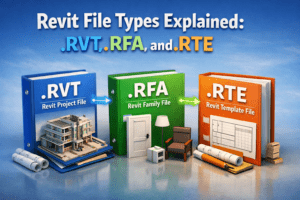
Revit File Types Explained: .RVT, .RFA, and .RTE
If you are working with Autodesk Revit, you have probably seen different file extensions like .RVT, .RFA, and .RTE. For beginners, these file types can be confusing, and even intermediate users sometimes misuse them, which later causes workflow problems.
Understanding Revit file types is fundamental to working professionally in BIM. Each file type has a specific purpose, and using the right one at the right time can save you hours of rework.
In this blog, we will clearly explain what each Revit file type is, when to use it, and common mistakes to avoid, using simple language and real-world examples.
Why Understanding Revit File Types Is Important
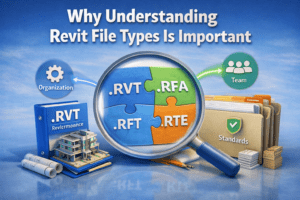
Before diving into individual file types, it is important to understand why this topic matters.
Revit is not just a modeling software; it is a data-driven BIM platform. Every file you create or load plays a role in:
-
Project organization
-
Team collaboration
-
Performance and file size
-
Standardization across projects
Using the wrong file type can lead to:
-
Corrupted projects
-
Missing standards
-
Poor model performance
-
Confusion among team members
Now let’s break down each Revit file type one by one.
What Is an .RVT File in Revit?
Definition of .RVT File
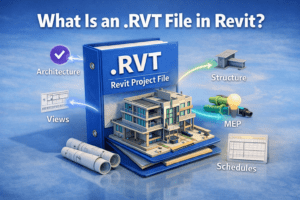
An .RVT file is a Revit Project File. This is the main working file where the entire building model lives.
It contains:
-
Architectural elements
-
Structural components
-
MEP systems
-
Views, sheets, schedules, and annotations
In simple words, .RVT is the actual project.
What Does an .RVT File Include?
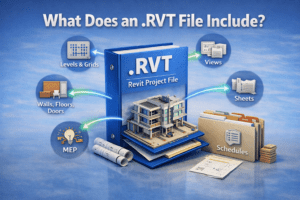
An .RVT file usually includes:
-
Levels and grids
-
Walls, floors, roofs, and doors
-
Families loaded into the project
-
Floor plans, elevations, sections, and 3D views
-
Sheets and title blocks
-
Schedules and quantities
Everything you see and work on in a Revit project is stored inside the .RVT file.
When Should You Use an .RVT File?
You should use an .RVT file when:
-
Starting or working on an active project
-
Coordinating with other disciplines
-
Exporting drawings or quantities
-
Linking models from other consultants
Most of your daily Revit work happens inside .RVT files.
Common Mistakes with .RVT Files
Editing Without a Template
Many users start an .RVT file without using a proper template, which leads to:
-
Missing standards
-
Incorrect units
-
Poor view organization
Overloading the Project
Loading unnecessary families or importing heavy CAD files can slow down the .RVT file significantly.
What Is an .RFA File in Revit?
Definition of .RFA File
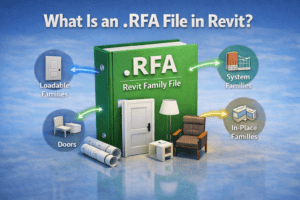
An .RFA file is a Revit Family File. Families are the building blocks of any Revit project.
Examples of Revit families include:
-
Doors and windows
-
Furniture
-
Lighting fixtures
-
Plumbing fixtures
-
Revit system components
Each family is created and saved as an .RFA file.
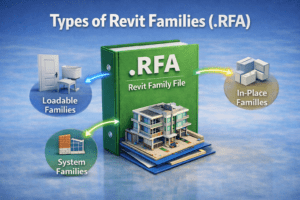
Types of Revit Families (.RFA)
Loadable Families
These are the most common families, such as:
-
Chairs
-
Tables
-
Doors
-
Equipment
They are created in the Family Editor and loaded into projects.
System Families
Walls, floors, roofs, and ceilings are system families. These do not exist as .RFA files, but they still behave like families inside projects.
In-Place Families
These are custom families created directly inside an .RVT project. They should be used sparingly.
Why .RFA Files Are So Important
Well-built .RFA files:
-
Improve project performance
-
Allow parametric control
-
Ensure consistency across projects
-
Make quantity takeoffs accurate
A poorly made family can break an entire model.
When Should You Create or Edit an .RFA File?
You should work with .RFA files when:
-
A required family does not exist
-
You need custom dimensions or parameters
-
You want reusable components for future projects
Professional BIM workflows rely heavily on strong family libraries.
Common Mistakes with .RFA Files
Over-Modeling
Adding too much geometry inside a family increases file size and slows down projects.
Ignoring Parameters
Families without proper parameters limit flexibility and reuse.
Wrong Family Category
Choosing the wrong category affects visibility, schedules, and behavior inside projects.

What Is an .RTE File in Revit?
Definition of .RTE File
An .RTE file is a Revit Template File. Templates define the starting point for new Revit projects.
Instead of starting from scratch every time, professionals use .RTE files to maintain consistency.

What Does an .RTE File Contain?
A Revit template can include:
-
View templates
-
Predefined levels and grids
-
Title blocks and sheets
-
Line styles and object styles
-
Loaded families
-
Annotation styles
-
Units and project settings
An .RTE file is not used for modeling, but for setting standards.

Why Revit Templates Are Critical
Using an .RTE file ensures:
-
Consistent drawings across projects
-
Faster project setup
-
Reduced errors
-
Easier team collaboration
Most companies have multiple templates for different project types.
When Should You Use an .RTE File?
You should use an .RTE file when:
-
Starting a new project
-
Working in a team environment
-
Following company or client standards
Never use an .RVT file as a template by mistake.
Common Mistakes with .RTE Files
Using Old Templates
Outdated templates may contain:
-
Incorrect standards
-
Old title blocks
-
Unnecessary families
Overloading Templates
A template should be clean and lightweight, not filled with unnecessary content.

Key Differences Between .RVT, .RFA, and .RTE
Purpose Comparison
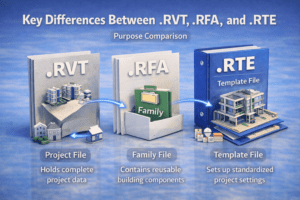
| File Type | Purpose |
|---|---|
| .RVT | Active project model |
| .RFA | Individual family/component |
| .RTE | Project starting template |
Workflow Comparison
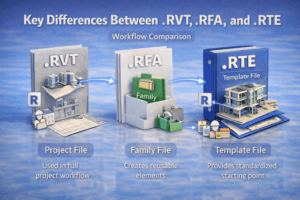
-
.RTE → creates → .RVT
-
.RFA → loads into → .RVT
-
.RVT → links with → other .RVT files
Understanding this relationship is essential for clean BIM workflows.
Best Practices for Managing Revit File Types
Use Clear Folder Structure
Separate folders for:
-
Projects (.RVT)
-
Families (.RFA)
-
Templates (.RTE)
Keep Templates Updated
Review and update templates regularly based on project feedback.
Standardize Family Naming
Consistent naming helps teams quickly find and reuse families.
Final Thoughts
Understanding Revit file types (.RVT, .RFA, and .RTE) is not just a beginner topic—it is a core BIM skill.
-
.RVT files are where projects live
-
.RFA files are the building blocks
-
.RTE files define standards and consistency
When used correctly, these file types help you work faster, reduce errors, and deliver professional-quality Revit projects.
If you want to grow as a Revit or BIM professional, mastering these basics is non-negotiable.