
What is Revit? Complete Beginner Guide
If you are new to the world of architecture, engineering, or construction, you have probably heard the name Revit many times. Many beginners feel confused at first and often ask the same question: What is Revit and why is it so important?
This complete beginner guide will explain what is Revit, how it works, who should learn it, and why it has become one of the most powerful tools in the construction industry today. This article is written in simple language so that even a complete beginner can understand it easily.
What is Revit?
Revit is a Building Information Modeling (BIM) software used to design, plan, and manage buildings in a smart and coordinated way. It allows architects, structural engineers, and MEP engineers to work on a single intelligent 3D model instead of separate 2D drawings.
Revit was developed to solve the problems of traditional drafting methods, where drawings were disconnected and changes had to be updated manually. With Revit, everything is connected. If you change one element, the entire model updates automatically.
Revit is developed by Autodesk, the same company that created AutoCAD.
What is BIM and How is Revit Related to BIM?
What is BIM?
BIM stands for Building Information Modeling. It is not just a 3D model; it is a process that includes:
-
Geometry (3D shape of the building)
-
Materials and finishes
-
Quantities and measurements
-
Construction data
-
Project coordination
BIM allows everyone involved in a project to work from the same source of information.
How Revit Uses BIM
Revit is a BIM-based software, which means every wall, door, pipe, or beam you draw contains real information. For example:
-
A wall knows its height, thickness, and material
-
A door knows its size, type, and location
-
A pipe knows its diameter and system type
This is why Revit is much more powerful than traditional drafting software.
Why Revit is Important in Today’s Industry
Centralized Model
One of the biggest benefits of understanding what is Revit is knowing that the entire project is developed within a single central model. Floor plans, sections, elevations, schedules, and 3D views are all automatically generated from the same coordinated model, ensuring consistency and accuracy across the entire project.
Automatic Updates
If you move a wall in the plan view, the change automatically appears in:
-
Sections
-
Elevations
-
3D views
-
Quantity schedules
This saves a huge amount of time and reduces errors.
Industry Demand
Revit is widely used across the world. Many companies now require Revit skills for jobs related to architecture, structure, and MEP.

Who Should Learn Revit?
Revit is useful for many professionals and students.
Architects
Architects use Revit to design buildings, create layouts, apply materials, and produce drawings.
Structural Engineers
Structural engineers use Revit to model columns, beams, slabs, foundations, and reinforcement.
MEP Engineers
MEP (Mechanical, Electrical, Plumbing) engineers use Revit to design systems such as:
-
HVAC
-
Electrical wiring
-
Plumbing
-
Firefighting systems
Students and Freelancers
Revit is an excellent skill for students and freelancers who want to build a strong career in the AEC industry.
Key Features of Revit Explained for Beginners
Parametric Modeling
Revit works on parametric relationships. This means elements are connected logically.
For example:
-
If you change the floor height, walls connected to it adjust automatically.
-
If you change a door type, all doors of that type update instantly.
Families in Revit
Families are pre-made or custom components used in Revit, such as doors, windows, furniture, lighting fixtures, and equipment.
Types of Families
-
System Families (walls, floors, roofs)
-
Loadable Families (doors, furniture)
-
In-Place Families (custom elements)
Families make Revit flexible and powerful.
Views in Revit
Revit automatically creates different views of your model.
These include:
-
Floor Plans
-
Sections
-
Elevations
-
3D Views
-
Schedules
All views are linked to the same model.
Difference Between Revit and AutoCAD
Many beginners ask whether they should learn AutoCAD or Revit first.
AutoCAD
-
2D drafting based
-
Lines and shapes
-
Manual updates
-
Less intelligent drawings
Revit
-
3D BIM-based software
-
Intelligent building elements
-
Automatic updates
-
Better coordination
Revit is considered the future of construction documentation, while AutoCAD is now mainly used for drafting support.
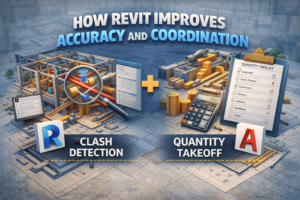
How Revit Improves Accuracy and Coordination
Clash Detection
Because Revit models contain real data, clashes between systems can be detected early. For example:
-
A pipe clashing with a beam
-
A duct crossing a wall incorrectly
This helps avoid costly mistakes during construction.
Quantity Takeoff
Revit can generate accurate quantities automatically, such as:
-
Concrete volume
-
Wall areas
-
Door and window counts
This is extremely helpful for cost estimation and planning.
Is Revit Difficult to Learn?
Revit may feel challenging at first, especially if you are new to BIM. However, with proper guidance and regular practice, it becomes much easier.
Beginner Learning Curve
-
First 2–3 weeks: Interface and basic tools
-
1–2 months: Confident modeling
-
3–6 months: Professional workflow
Consistency is more important than speed.
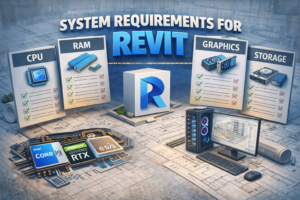
System Requirements for Revit
Revit is a powerful software and requires a good system.
Basic Requirements
-
64-bit Windows
-
Minimum 16 GB RAM (32 GB recommended)
-
SSD storage
-
Dedicated graphics card
A better system improves performance and reduces crashes.
Career Opportunities After Learning Revit
Learning Revit opens many career paths.
Job Roles
-
Revit Modeler
-
BIM Engineer
-
Architectural Designer
-
MEP Coordinator
-
BIM Coordinator
Freelancing Opportunities
Revit professionals can work on:
-
Residential projects
-
Commercial buildings
-
Shop drawings
-
Quantity takeoffs
-
Family creation
Online platforms have strong demand for skilled Revit users.
What Is Revit and Why You Should Learn It in 2026 and Beyond
Understanding what is Revit is becoming essential as the construction industry continues to shift toward fully digital workflows. Governments and private organizations around the world are increasingly adopting BIM standards to improve efficiency, coordination, and accuracy in building projects. Revit is no longer just design software; it is a long-term career skill that offers strong job opportunities and will remain highly valuable in the construction industry for many years to come.
Final Thoughts: What is Revit and Why It Matters
So, what is Revit?
Revit is a powerful BIM software that helps professionals design, document, and manage buildings efficiently. It improves accuracy, saves time, reduces errors, and enhances collaboration.
For beginners, learning Revit may feel overwhelming at first, but once you understand its logic, it becomes an incredibly rewarding skill.
If you are serious about a future in architecture, engineering, or construction, Revit is not optional anymore — it is essential.